

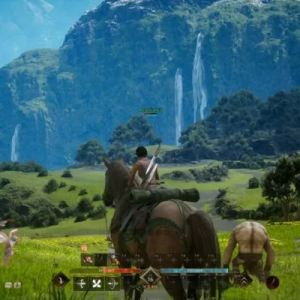
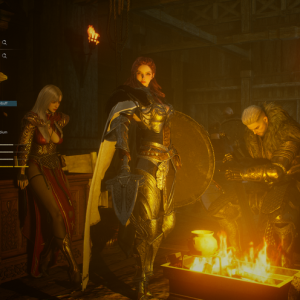



In Odin: Valhalla Rising, power doesn’t come only from gear, levels, or raw combat stats—it also comes from the people you play with. As a massive open-world MMORPG inspired by Norse mythology, Odin is designed around cooperation, shared challenges, and large-scale battles that are far more rewarding when tackled with allies. Whether you’re pushing difficult dungeons, participating in faction warfare, or simply exploring the world, having a strong friends list dramatically enhances your experience.
The game’s Friends System is more than a simple social feature. It’s a functional tool that helps you stay connected, coordinate activities, teleport directly to allies, and manage communication efficiently. This guide breaks down everything you need to know about how the friends system works in Valhalla Rising Diamonds—how to view, add, and manage friends, how favorites function, and what additional tools are available to streamline your interactions.
Why Friends Matter in Odin: Valhalla Rising
Before diving into menus and buttons, it’s important to understand why building friendships in Odin matters so much. The game is packed with content that heavily favors teamwork:
Dungeons become faster, safer, and more efficient with coordinated players.
Faction battles demand communication, positioning, and quick reinforcement.
World exploration is smoother when friends can teleport to each other.
Guild activities are easier to organize when members are already connected.
Playing solo is possible, but Odin clearly rewards players who build networks. The friends system is the backbone that enables all of this cooperation.
Accessing the Friends Menu
How to View Your Friends
Getting started with the friends system is simple and intuitive.
To access your friends list:
Tap the menu icon (☰) located in the top-right corner of the screen.
Select “Friend” from the menu options.
This opens the Friends tab, where all friend-related features are organized in one place. From here, you can view your current friends, pending requests, recommended players, and more.
Managing Your Friend List
Friend List Capacity
Your Friend List can hold up to 50 friends at one time. This limit encourages players to manage their social connections carefully and prioritize active allies.
One important mechanic to understand:
The more friends you already have, the fewer pending requests you can accept.
This means if your friend list is nearly full, incoming friend requests may be limited. Keeping your list organized ensures you don’t miss opportunities to connect with new players.
Adding Friends in Odin: Valhalla Rising
Adding friends is flexible and supports several different playstyles, whether you prefer meeting players organically or connecting through guilds.
Where to Add Friends
Within the Friends menu, you’ll see two main sections:
Friend List
Pending Requests
To add new friends, tap the “Add Friend” button.
Recommended Players
The Recommended Players tab suggests players you may want to add based on proximity or recent interactions. This is especially useful when you’ve just completed a dungeon, fought alongside someone in PvP, or encountered helpful players during exploration.
If there are no nearby or relevant players to recommend, this section may appear empty.
Adding Guild Members
If you are part of a guild, you’ll also see a Guild Members tab.
Important notes:
Only guild members who are not already on your friends list will appear.
If you are not in a guild, this tab will not be available.
If there are no eligible guild members, the list may be empty.
This feature is ideal for strengthening guild coordination, especially for players who frequently run content together.
Searching by Character Name
If you know exactly who you want to add, Odin allows you to:
Search directly by character name
Send a friend request instantly
Once the request is accepted, the player is automatically added to your Friend List.
Pending Requests
The Pending Requests section shows all friend requests waiting for approval.
Key limitations:
You can receive up to 50 friend requests.
If your friend list is full or near capacity, you may not be able to accept all requests.
Managing pending requests regularly prevents missed connections and keeps your social network active.
Online Status and Friend Awareness
Once players are added to your Friend List, you can easily:
Check their online or offline status
Identify who is currently active and available for content
This small but critical feature helps you quickly assemble parties or reach out to friends without guesswork.
Favorite Friends – Your Inner Circle
Not all friends are equal. Odin recognizes this by offering a Favorite Friends feature that allows you to highlight your most important allies.
How to Set Favorite Friends
In your Friend List:
Click the star icon (☆) next to a friend’s name
That friend is added to your Favorites
You can mark up to 5 favorite friends at a time.
Benefits of Favorite Friends
Favorite Friends unlock several powerful conveniences:
1. Instant Teleportation
Press the “GO” button to teleport directly to a favorite friend’s location.
This is invaluable for:
Joining fights quickly
Reinforcing faction battles
Meeting up for dungeons or exploration
2. Quick Character Info Access
Click on a favorite friend’s portrait to instantly view their character information.
This allows you to check:
Class
Gear progression
General readiness for content
Favorite Friends essentially function as your core squad—always within reach and always prioritized.
Additional Friend Options and Tools
The Friends system includes a powerful set of tools accessed via the menu icon (☰) located on the right side of each friend entry.
Clicking this icon opens a list of interaction options:
More Info
View detailed character information, helping you understand your friend’s progression and playstyle.
Whisper
Send private messages directly to a friend for quick communication without cluttering global or guild chat.
Party Invite
Instantly invite a friend to your party, perfect for spontaneous dungeon runs or PvP encounters.
Name Change History
Track changes to a friend’s character name. This is especially useful in long-term MMOs where players may rename characters over time.
Remove Friend
If needed, you can remove players from your friend list to free up space or manage your social circle more efficiently.
Best Practices for Using the Friends System
To get the most out of Odin’s social features, consider the following tips:
Regularly prune inactive friends to maintain room for new connections.
Favorite your most reliable teammates for faster coordination.
Add guild members early to strengthen group synergy.
Use Whisper instead of global chat for focused communication.
Check online status before starting content to avoid waiting.
These habits turn the friends system into a genuine gameplay advantage rather than just a social list.
Final Thoughts: Strength Through Brotherhood
Odin: Valhalla Rising is a world built on myth, war, and shared struggle—and its friends system reflects that philosophy perfectly cheap Valhalla Rising Diamonds. By encouraging cooperation, simplifying communication, and enabling instant travel between allies, the game ensures that no warrior truly stands alone.
Whether you’re forming lasting friendships, organizing elite dungeon groups, or reinforcing allies on the battlefield, mastering the Friends system will dramatically enhance both your efficiency and enjoyment. In a realm inspired by Valhalla itself, victory is sweeter when shared—and Odin gives you all the tools you need to build those bonds.
Forge your alliances wisely. The gods are watching.